
Orders from every channel
Quick order in seconds with Alt Q. New → Confirmed → Packed → Shipped → Delivered, with returns and exchanges built in.
For shops that sell on Instagram, WhatsApp & TikTok
Orders from every channel, stock that's always right, couriers and cash on delivery, a point of sale — plus your expenses, supplier bills and real profit, and your own online shop. All in one app on your Windows PC. Works offline.
Windows 10 & 11 · No card needed · Your data stays on your PC
Everything a small shop needs
Quick order in seconds with Alt Q. New → Confirmed → Packed → Shipped → Delivered, with returns and exchanges built in.
Reserved, with couriers, damaged, available — every move recorded. Low-stock alerts, variants, barcodes and real profit per product.
Know exactly how much each courier holds for you. Settle in one click; delivered orders stay "unpaid" until the money is in your hand.
Sell in your shop with big category tiles, barcode scanners, receipts on 80 mm printers and "pays the rest later".
Cash, bank, Whish and OMT in one view. Expenses, suppliers, VAT and clear reports — no accounting words on your screen.
Your shop lives on your PC, not on someone's server. Encrypted backups to OneDrive or Google Drive, and a PIN lock.
Orders
 Vault
Vault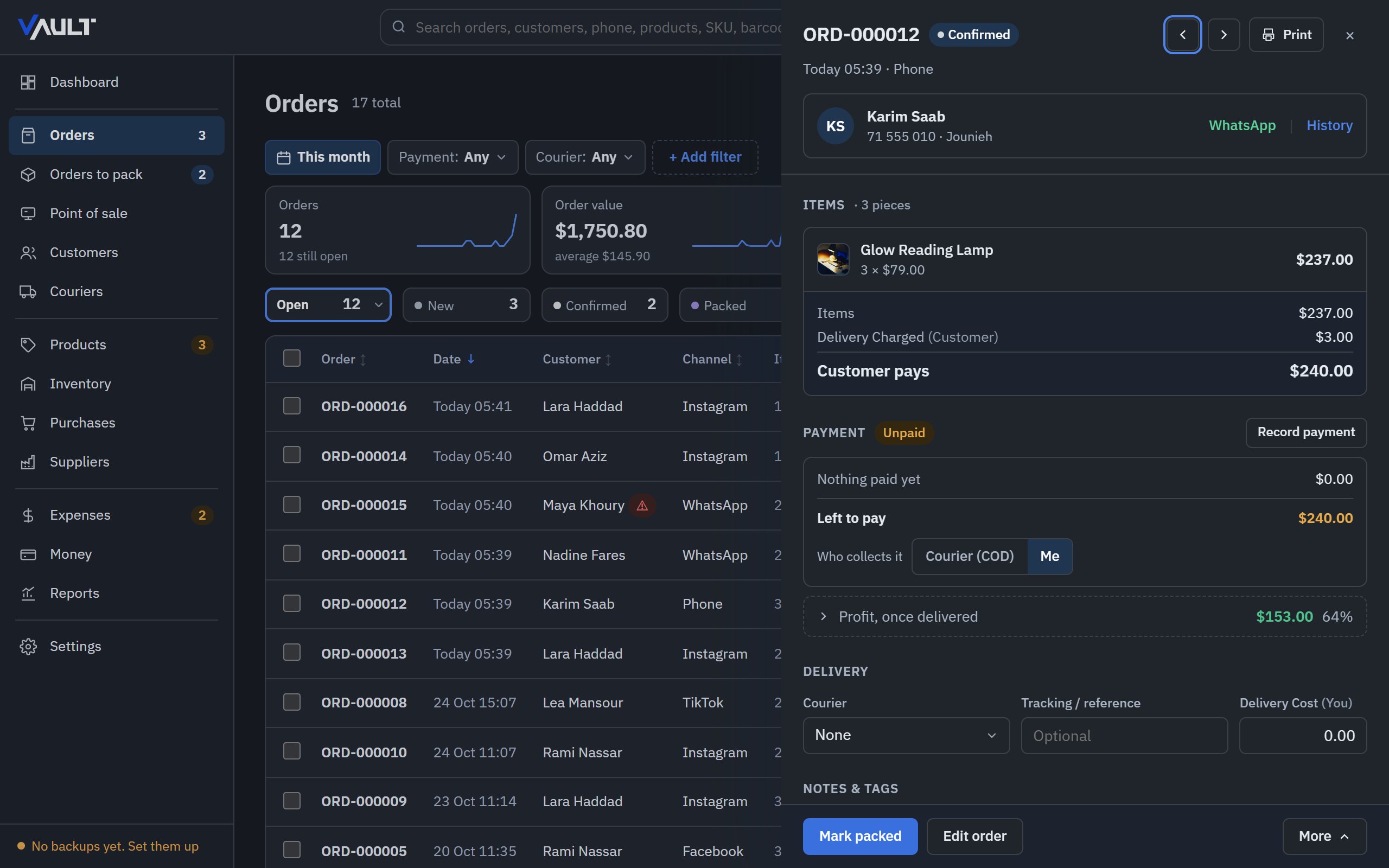
Point of sale
Vault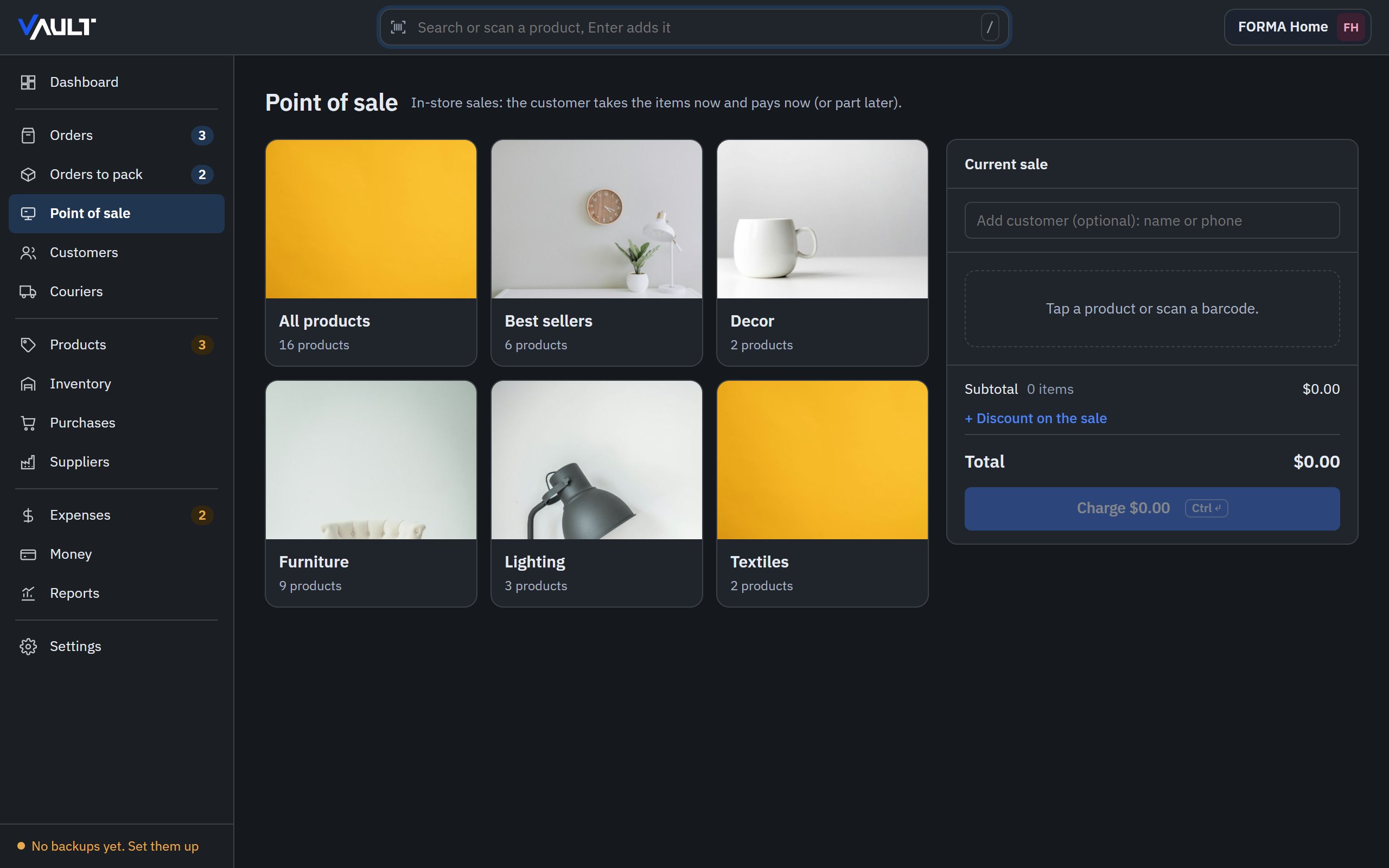
Money & accounting
Online-store platforms count your sales. Vault also counts what you spend — so you see what you actually earn.
Vault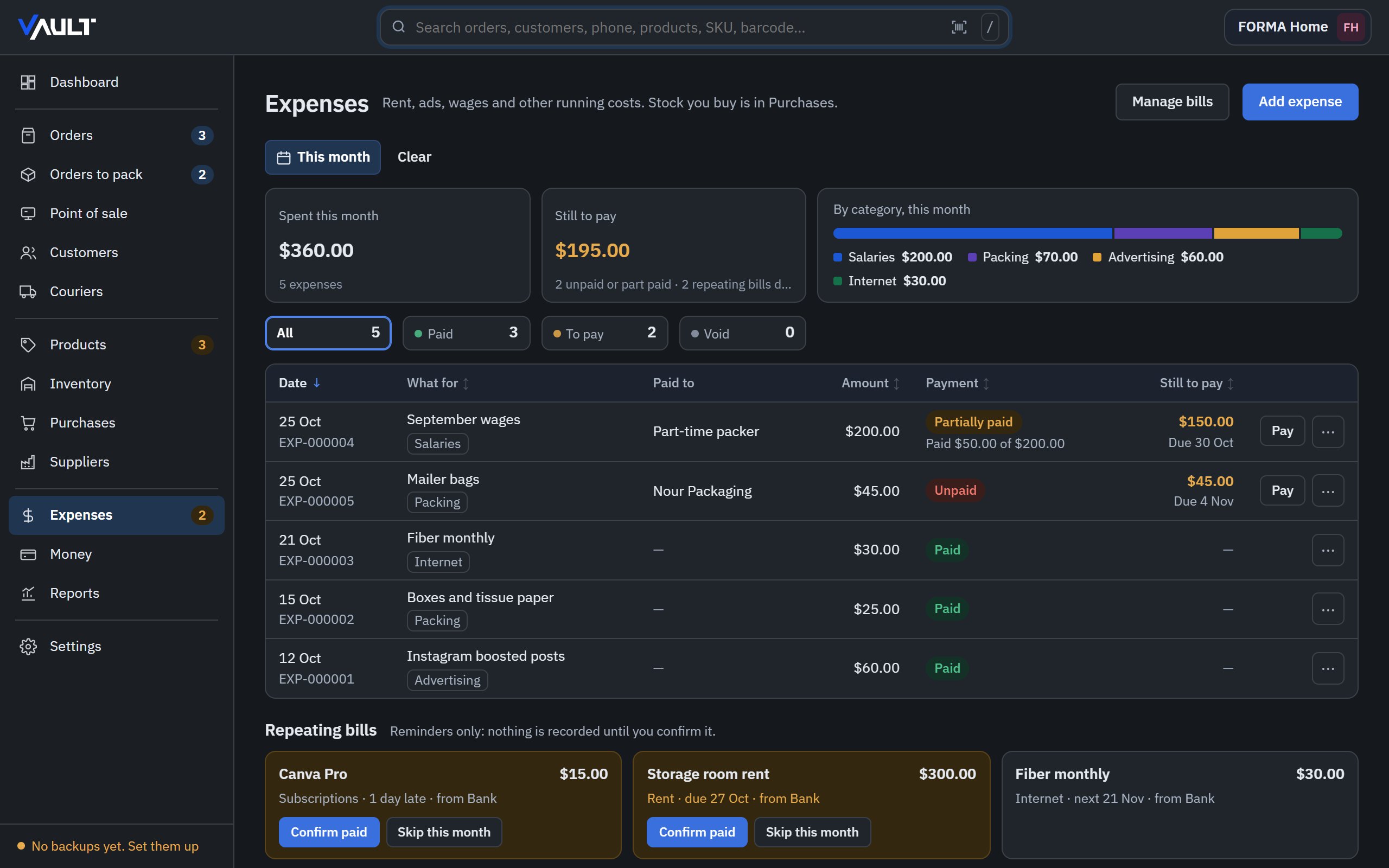
Your way
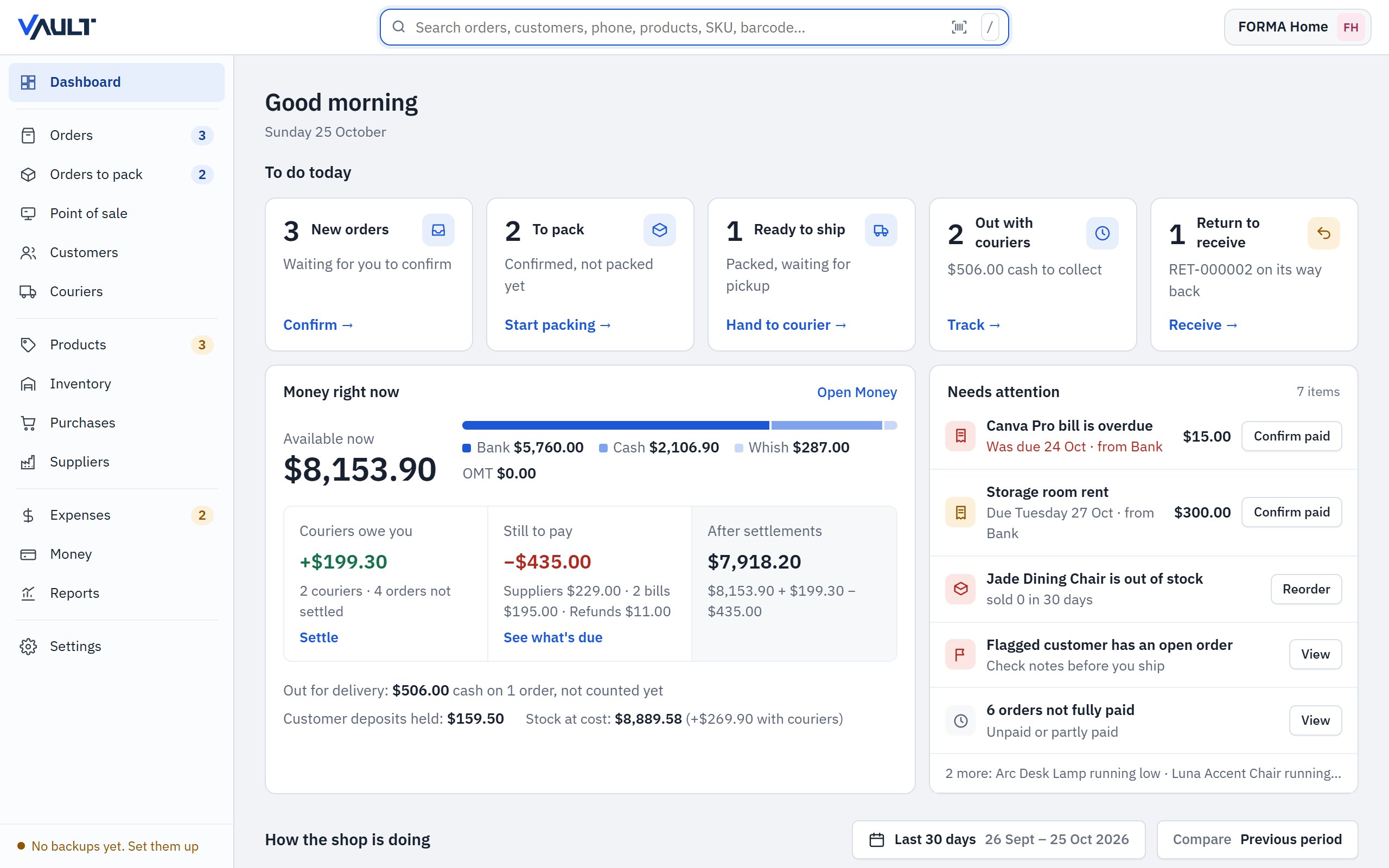
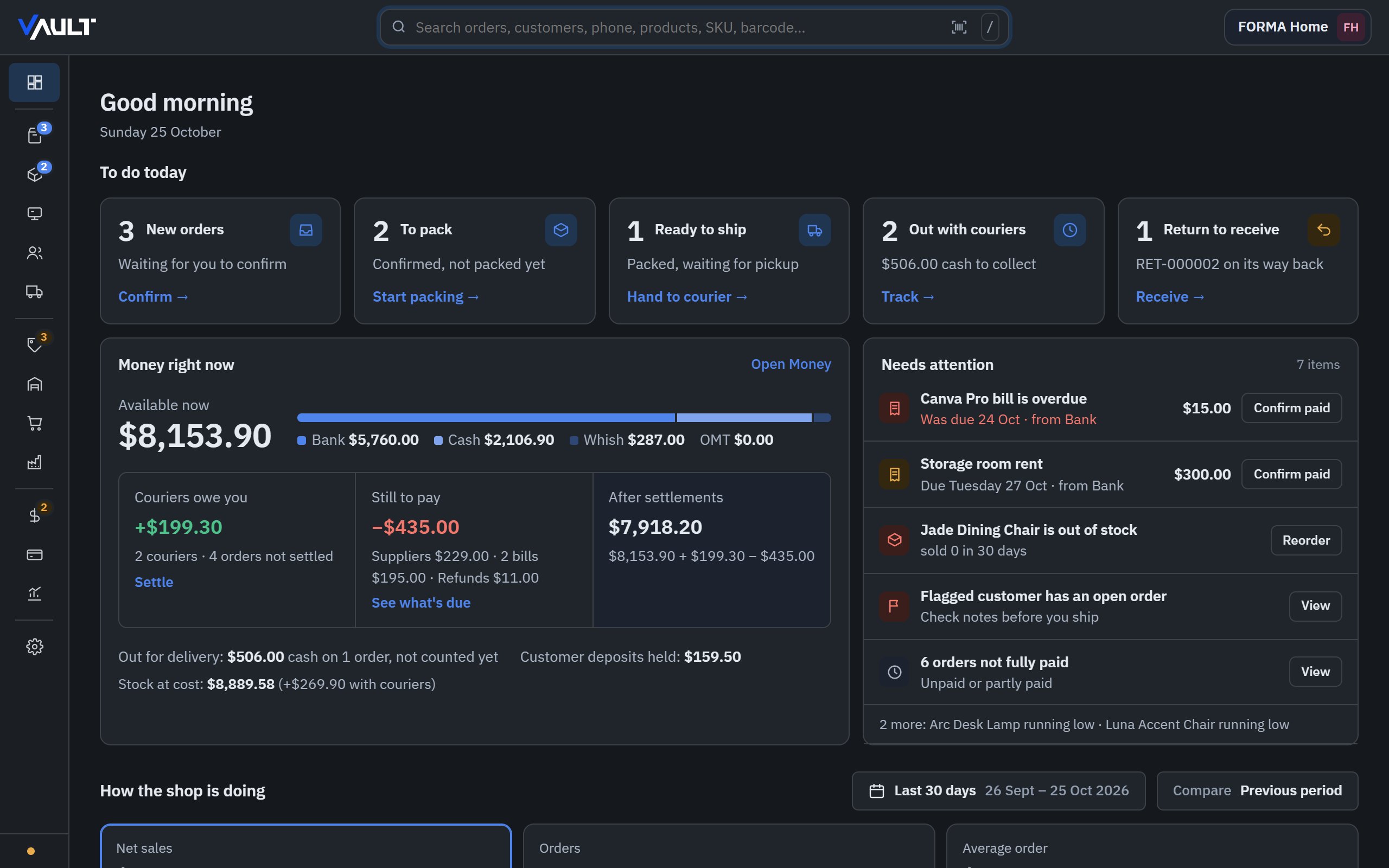
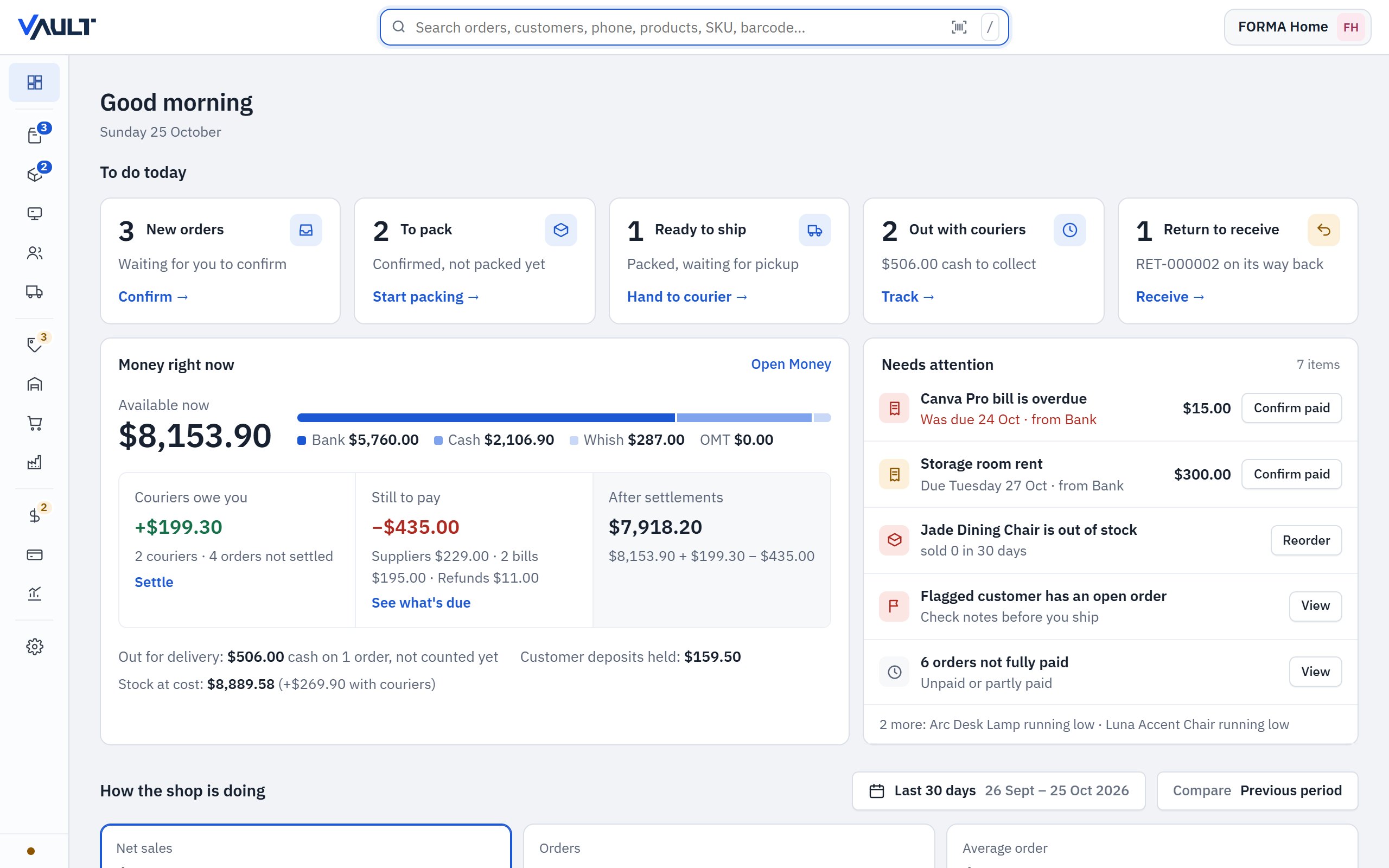
Pick the theme that's easy on your eyes, and hide the sidebar (Ctrl B) when you want more room for your orders.
Vault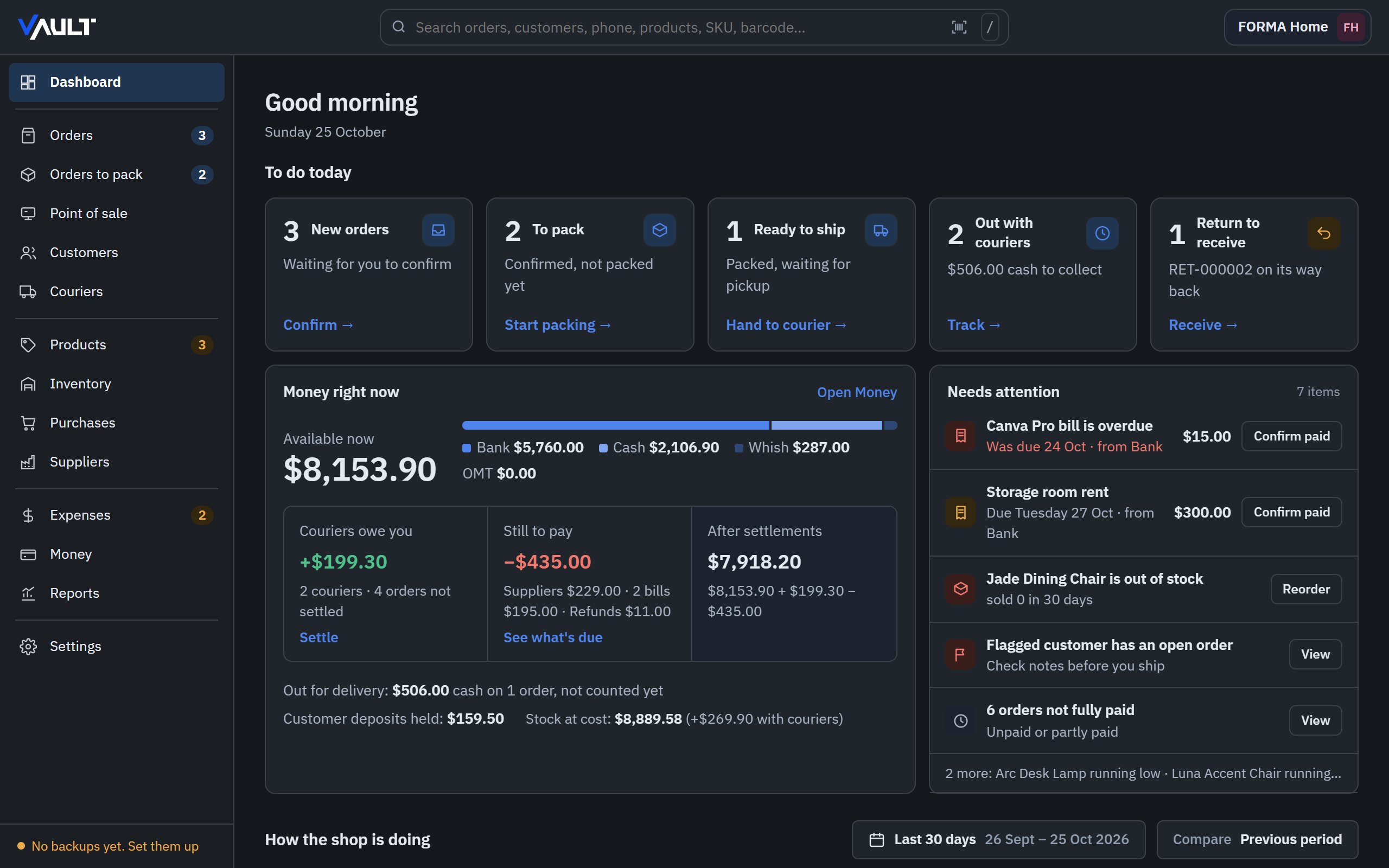
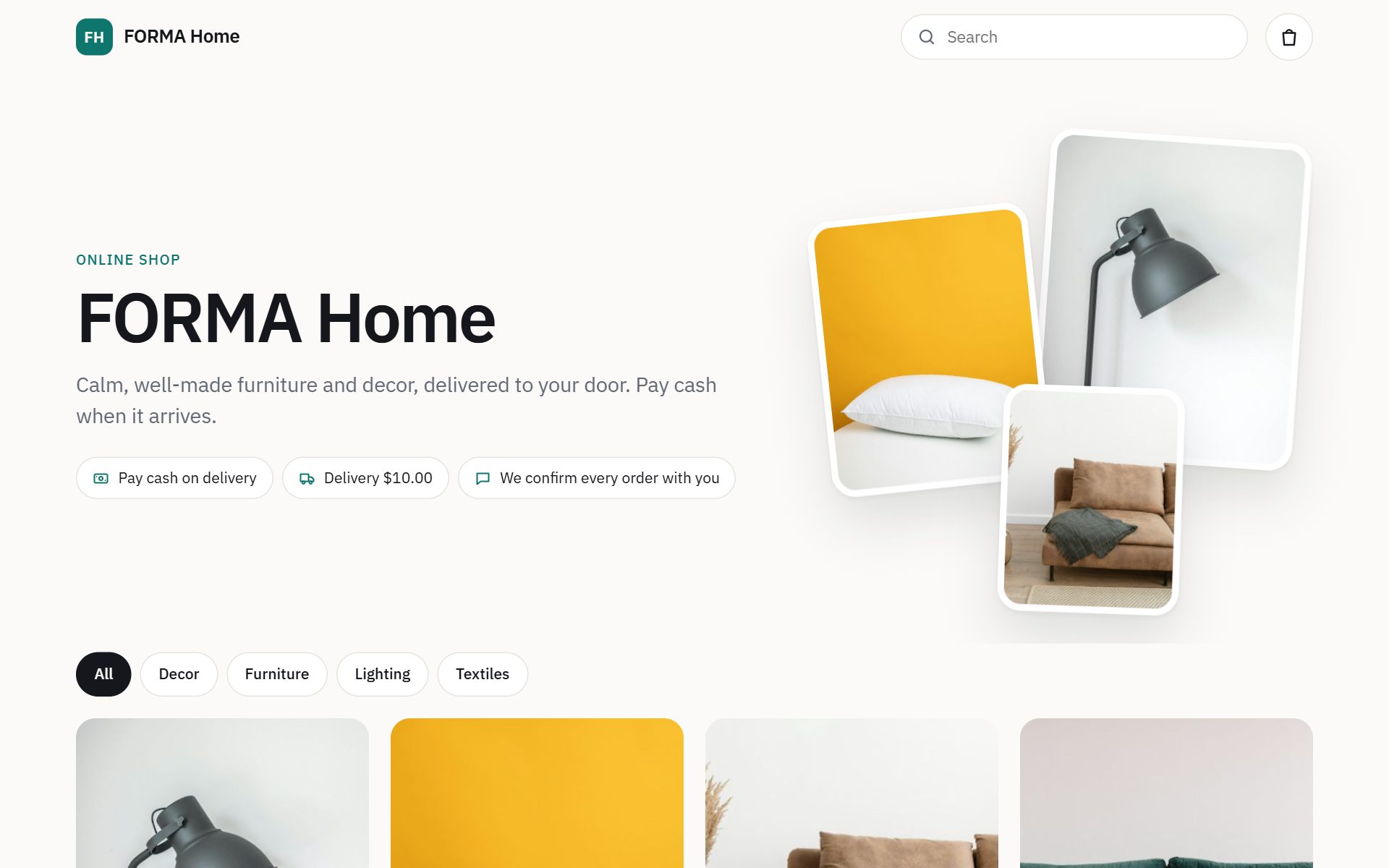
New · Your own online shop
Publish your products with one click to your own free Cloudflare account. Customers order with cash on delivery; the order appears in Vault within two minutes — with a Windows notification.
Coming soon Vault for Android and iPhone — the same shop in your pocket.
Pricing
Start with a free 14-day trial (up to 50 orders). Then choose how long you'd like.
$10/ month
Try it month by month.
$50/ 6 months
$8.33 a month · save $10
$100/ year
$8.33 a month · save $20
No credit card. Pay by Whish, bank transfer or cash — we send you your activation key.
Get started
Install Vault on your Windows PC. It starts with a sample shop so you can look around.
14 days and up to 50 orders, with every feature. Your real data stays when you buy.
In Settings → Advanced → Activation. Message us and pay by Whish or transfer.
We send your activation key. Paste it — done. Renew the same way.
Windows 10 & 11 · free 14-day trial
Read the user manual (PDF) — every screen explained, with pictures.
Questions
They are built around a website and charge every month, with your data on their servers. Vault is the back office for shops that sell through Instagram, WhatsApp, TikTok, phone and walk-in: it also tracks expenses, supplier bills, couriers' cash and real profit, works without internet, and keeps your data on your PC. An online shop is included, free, on your own Cloudflare account.
Yes — every screen explained step by step, with pictures. Open the user manual (PDF).
No. Everything works offline. The internet is only used for your online shop, backups to OneDrive / Google Drive, and opening WhatsApp.
On your own PC, in one file — not on our servers. Make encrypted backups to a USB stick, OneDrive or Google Drive from Settings.
Yes. Installing a newer version replaces the program only; your shop is kept and upgraded automatically.
You get a reminder 30 days before and 7 extra days after. If you don't renew, you can still see everything, export and make backups — only adding new sales pauses until you renew.
Yes. It runs on your own free Cloudflare account. There's no hosting bill and no commission on your sales. Customers pay cash on delivery.
Vault for Android and iPhone is coming. Today it runs on Windows 10 and 11; your online shop already works on every phone.
Nothing to do. Your activation is tied to your computer itself, not to Windows: after formatting, reinstalling Windows or reinstalling Vault, it is activated again by itself. Restore your backup to get your shop back.
Yes. Make a backup, restore it on the new PC, and send us the new PC code — we send you a new key for free.